Platform/AUTOMATED SCHEDULING · /01
Shifts fill themselves.
Build a week in minutes with certifications, rest rules and overtime checked as you drag. When a shift opens, Owly offers it to qualified guards and confirms coverage - no phone tree.
Bulk edit
Fill, edit, duplicate, delete - in one button.
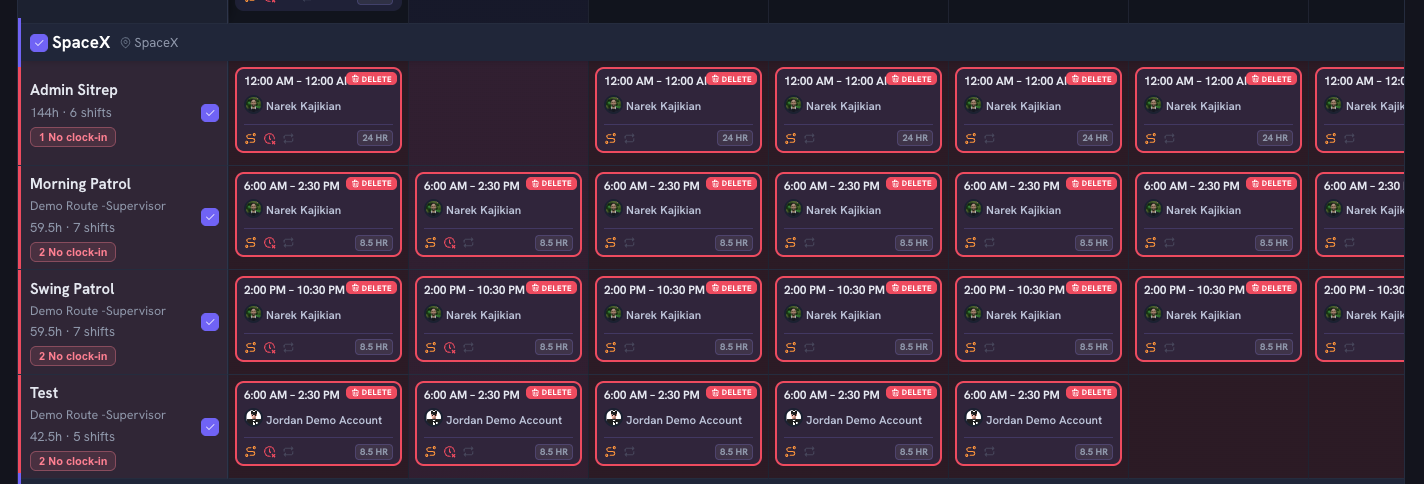

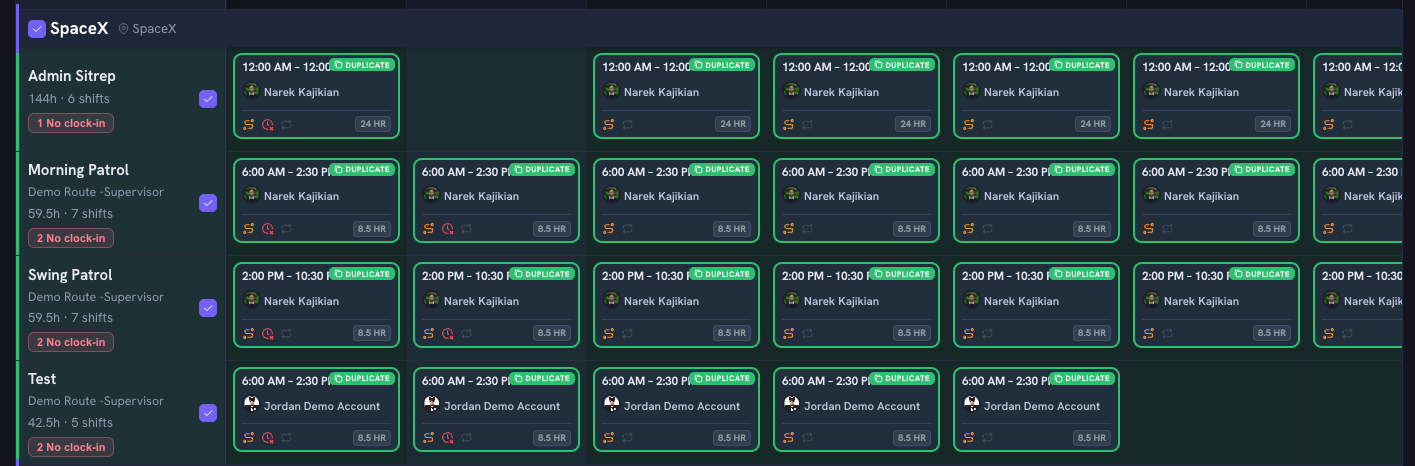

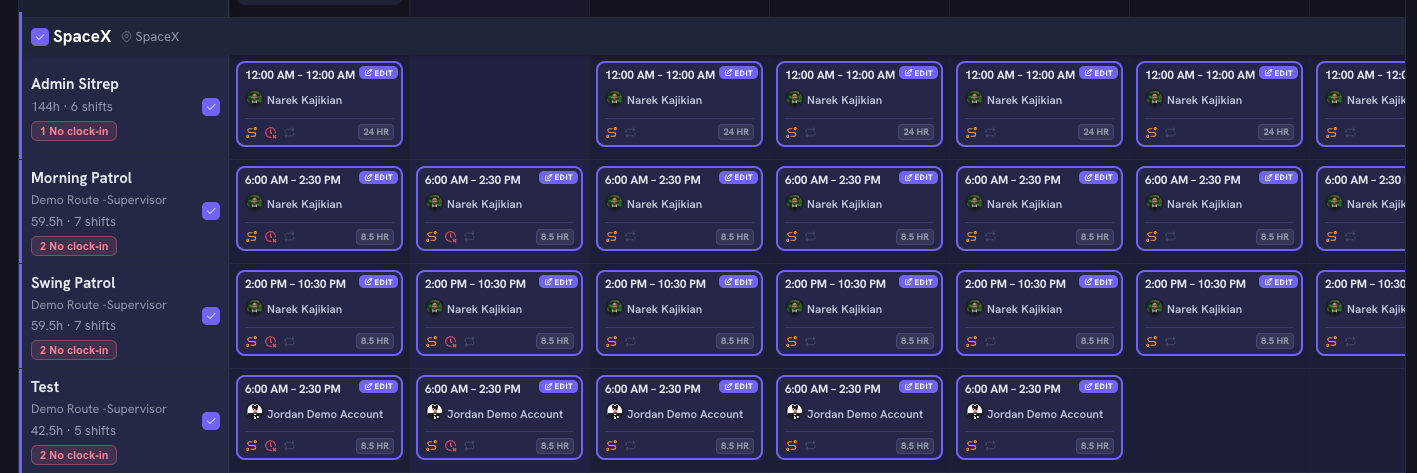

Built for how security companies actually run.
Copy last week, adjust exceptions, publish. A full roster in minutes.
Licenses, site certifications and rest rules checked live - conflicts flagged before you publish.
See OT risk while scheduling, not on the payroll report two weeks later.
Blast open shifts to qualified guards by rank and proximity. First to accept wins.
Recurring patterns, split shifts and multi-site rotations without spreadsheet math.
Published changes land in the guard app with confirmations and reminders.
Scheduling is one layer of ten.
Every module works off the same schedule, the same people, the same contracts - nothing re-typed, nothing dropped.
Live dispatch
See every post in real time and move people fast.
Live GPS tracking
Know where each guard is, to the minute.
Mobile patrols
Tours, checkpoints and proof of presence.
Incident reporting
Reports filed from the phone, with photos.
Timesheets
Hours built from real clock-ins, not memory.
Billing
Invoices built from verified hours and contract rates.
Client portal
Give clients their own live view of the site.
Analytics
Site margins and guard performance, plainly.
Chat
DMs, site groups and broadcasts that need an ack.
Before you book.
The things operators ask us first. Anything else, ask a founder directly - demos are live, never slideware.
Book a demo30 minutes. Bring your schedule and one messy week.
How long does it take to get running?
Most operations are live in under two weeks. We import your sites, guards and contracts, run one week in parallel with whatever you use today, then cut over.
How does onboarding work?
Our dedicated customer success team handles setup for you — importing your sites, guards, and schedules, and configuring the platform around how your company already operates. Most teams are live within days.
Will it work with our payroll and accounting?
Yes. Verified hours export to any payroll provider, and invoices sync with QuickBooks, Xero or CSV. Custom, entity-specific integrations are part of the deal, not an add-on.
What happens to our historical data?
We migrate your sites, post orders, guard records and certifications. Reports and timesheets from your old system can be archived alongside so nothing is lost.
How is our data secured?
Encrypted in transit and at rest, role-based permissions, and a full audit trail on every action - including every action an AI agent takes.
What does it cost?
Pricing scales with guards deployed, not per-module tolls. Bring your headcount and site count to the demo and you will leave with a real number.